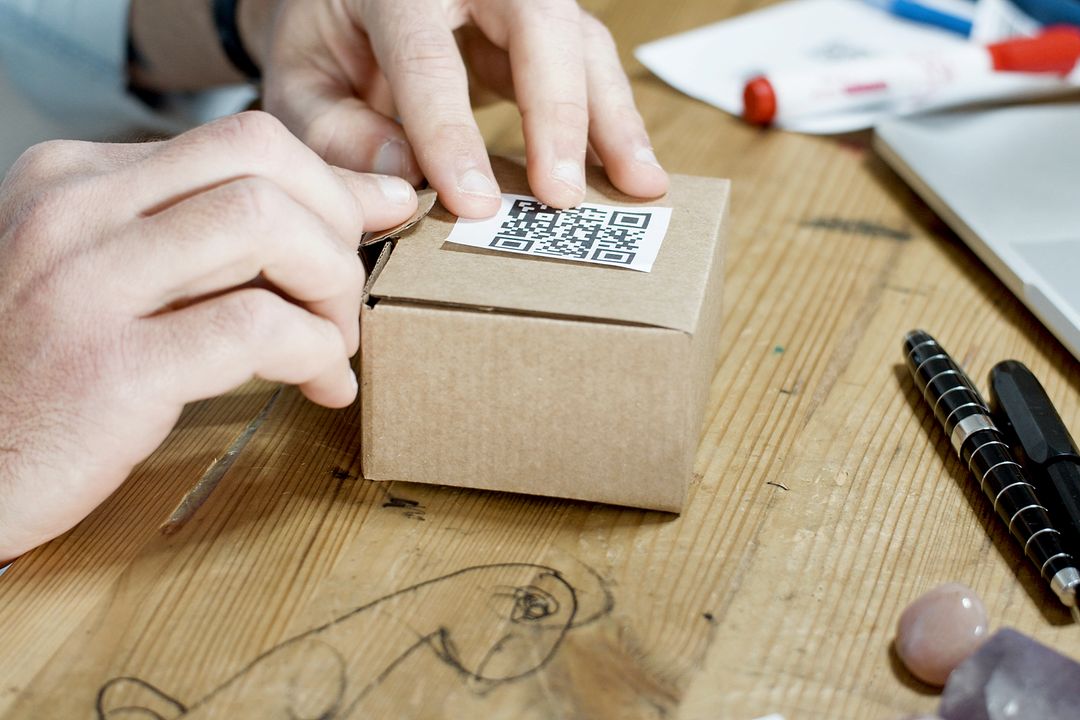
For decades, traditional direct mail suffered from a severe tracking problem. Marketers would send out five thousand beautiful postcards, sit back, and hope for the phone to ring or website traffic to spike. When someone landed on the main homepage, nobody could say with certainty whether that visitor came from a postcard delivered to a letterbox in Sussex, an organic Google search, or a digital social ad.
Today, that guesswork is dead. By combining Variable Data Printing, usually known as VDP, with personalised QR codes, commercial print becomes as trackable, measurable, and accountable as any digital ad campaign. Instead of dropping thousands of prospects onto the same generic website homepage where attention instantly dies, personalised QR codes connect every individual recipient directly to a bespoke digital experience tailored specifically to them.
Here is how variable data printing and personalised QR codes work together to bridge physical direct mail and digital marketing, automate CRM tracking, and deliver clear direct mail ROI.
The Fatal Flaw in Traditional Direct Mail
The traditional approach to print marketing relied heavily on mass broadcasts. A business printed ten thousand identical flyers, distributed them across a postal code area, and pointed everyone toward a generic website address.
That approach creates two major friction points:
- User Friction: Asking a prospect to pull out their phone, open a web browser, type in a full URL, and navigate through your main site to find an offer requires far too much effort. Most people simply drop the postcard on the kitchen counter and forget about it.
- Data Friction: Even if a prospect does visit your website, your analytics package sees a generic direct visitor. You cannot identify which specific client responded, which offer triggered the visit, or which mailing list segment produced the highest customer lifetime value.
Generic QR codes solved part of the user friction by allowing smartphone cameras to scan a square and jump directly to a landing page. However, a generic QR code printed on five thousand flyers still sends five thousand people to the exact same destination. It tells you how many overall scans occurred, but it fails to tell you who scanned.
Personalised QR codes solve both user friction and data friction in a single move.
What Is a Personalised QR Code in Commercial Printing?
A personalised QR code is a unique, dynamic barcode generated specifically for one individual on your database. Rather than embedding a static website address, the QR code contains a unique personalised URL, often called a PURL, or a dynamic redirect string containing custom campaign tracking parameters.
When Sarah Jenkins receives her postcard in the mail, her card features a unique QR code. When Sarah opens her smartphone camera and scans the print, she is instantly routed to a tailored landing page that greets her directly: “Welcome back, Sarah. Here is your exclusive 15% renewal discount.”
When Mark Thomson scans his card, his unique QR code routes him to his own custom page displaying details relevant to his specific location, account history, or designated account manager.
Every recipient receives a completely tailored physical card that connects seamlessly to a matching digital landing page.
How Variable Data Printing Makes Personalised QR Codes Possible
In traditional print runs, a printing press runs thousands of identical sheets from a single static plate. Variable Data Printing changes this model entirely by utilising high-speed digital printing technology controlled by data software.
With VDP, a base layout is created in design software, but specific elements on the page remain dynamic. These dynamic elements pull information directly from a structured data file, such as a CSV spreadsheet or CRM export.
During the single print run, the digital press changes the text, images, offers, and QR codes on every single sheet without slowing down the machinery.
The data file contains row-by-row instructions:
- Column A: First Name
- Column B: Company Name
- Column C: Unique Promotional Code
- Column D: Individual Personalised QR Code Image or URL
As the paper moves through the press, the machine prints entry one on postcard one, entry two on postcard two, and so forth. You get thousands of completely individualised print pieces in a single, efficient production run.
Connecting Physical Print Directly to Your Digital CRM
One of the greatest benefits of modern personalised print is how easily it integrates with digital CRM platforms such as HubSpot, Salesforce, ActiveCampaign, or Zoho.
Because every QR code contains unique tracking parameters, such as recipient IDs, campaign codes, or UTM tags, scanning the postcard triggers instant digital events:
- Automated CRM Contact Updates: The moment a recipient scans their personalised QR code, a webhook can notify your CRM that recipient #4092 has engaged with the campaign.
- Sales Rep Alerts: If a high-value account scans their direct mailer, your account managers can receive a real-time notification or email prompt: “Mark Thomson just scanned his autumn brochure.”
- Multichannel Follow-Up Sequences: Scanning the physical print piece can automatically pause cold email sequences or trigger an automated SMS confirmation, ensuring your marketing channels work in complete harmony.
Print no longer operates in an isolated offline silo. It acts as a physical trigger for your digital sales funnel.
How Dynamic QR Codes and Unique Promo Codes Track Direct Mail ROI
To calculate true marketing ROI, you must know three figures: what the campaign cost, how many leads engaged, and how much revenue was generated from those exact leads.
Personalised QR codes and unique promotional codes make this calculation simple and bulletproof.
1. Dynamic QR Code Tracking
Dynamic QR codes allow you to change the underlying destination URL even after the physical item has been printed and delivered. If you discover mid-campaign that landing page A is underperforming, you can update the destination link behind the dynamic QR code server-side, routing future scans to landing page B without wasting a single sheet of paper.
2. Unique Promotional Codes
Pairing a personalised QR code with an identical text-based promo code on the card ensures that even if a customer prefers to type the offer code into a checkout desktop browser later, the sale is still attributed directly to that recipient’s mailer.
3. Clear Revenue Attribution
By cross-referencing completed purchases or booked appointments with the original mailing list data, you can calculate exact response rates, cost-per-acquisition, and total campaign ROI down to the precise penny.
Technical Rules for Printing Scan-Reliable QR Codes
A QR code is only effective if smartphone cameras can read it quickly and reliably. When setting up artwork for variable data print runs containing QR codes, follow these non-negotiable print specifications:
- Maintain High Contrast: Always print black or dark QR codes on a clean white or light background. Avoid printing QR codes over textured backgrounds, detailed photos, or dark coloured stocks.
- Respect the Quiet Zone: Every QR code requires a margin of clear space, known as the quiet zone, around all four edges. This clear border must be at least four times the width of a single QR module square. Never place text or borders tight against the edge of the code.
- Observe Minimum Print Sizes: For postcards and flyers scanned at arm’s length, the QR code should measure at least 20mm by 20mm. If the code contains lengthy tracking URLs with lots of data modules, increase the physical print size to ensure the squares do not blur together.
- Export High-Resolution Vectors or Crisp Images: Never use low-resolution screenshots or 72dpi website images for QR codes. Ensure your VDP software generates vector codes or crisp 300dpi bitmap images to guarantee sharp edges during digital printing.
Turning Print into Your Most Accountable Marketing Channel
Direct mail has always enjoyed significantly higher open and engagement rates than digital email marketing. When combined with personalisation and intelligent tracking technology, direct mail becomes one of the most powerful, high-converting channels available to modern businesses.
You do not need an in-house team of software engineers or data scientists to run trackable direct mail campaigns. You simply need a clean mailing list, clear campaign goals, and a print partner who understands how data and print work together.
Print Lord manages variable data printing, artwork preparation, and custom code integration from start to finish, keeping your brand sharp, your campaign on time, and your direct mail completely accountable.
Ready to launch a trackable, personalised direct mail campaign? Tell Print Lord what you want to achieve, and we will set up the variable data print run to make it happen smoothly.
Print Lord. At your service. On brand. On time.
printlord.co.uk