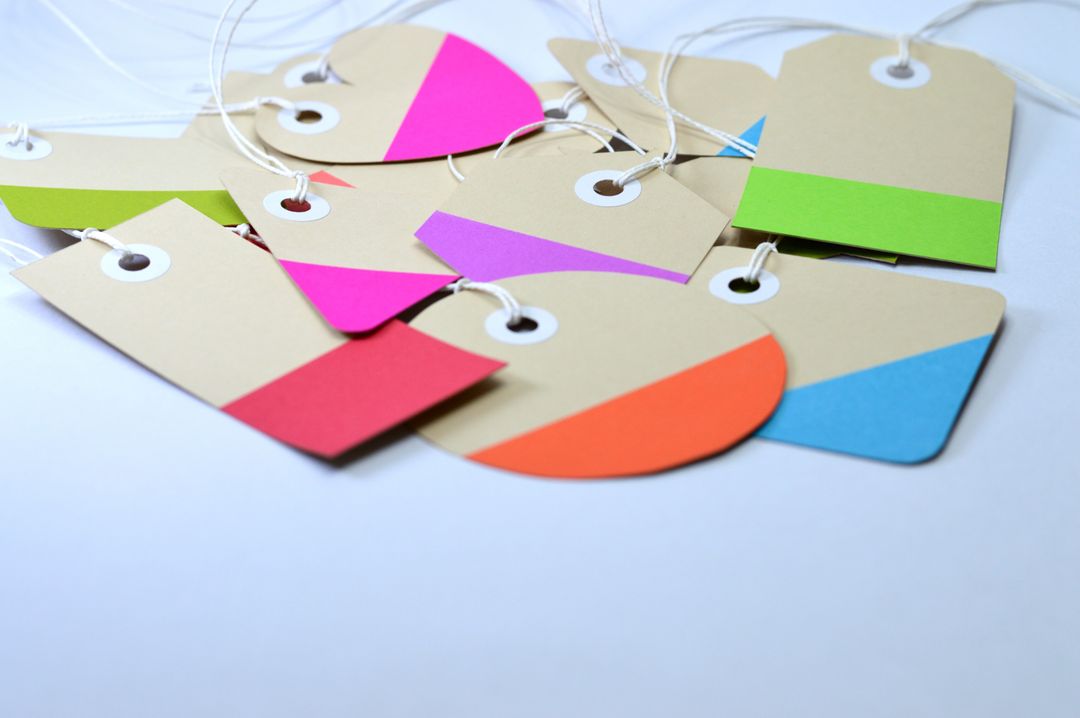
Look around your desk, your door mat, or your trade show bag. Almost every printed item you pick up is a standard rectangle. Business cards, A5 flyers, A4 brochures, folded leaflets, rectangle after rectangle. There is a very logical reason for this: rectilinear print is efficient to trim on a standard guillotine. But efficiency for the printer does not automatically translate into impact for your brand.
When every competitor is handing out A5 rectangular cards, a shape that breaks the grid immediately demands attention. Human hands and eyes are naturally drawn to tactile variation. A curved edge, a custom silhouette, a shaped window, or a bespoke contour cut stops people in their tracks. It transforms a piece of cardboard from disposable paper into an engaging physical object.
At Print Lord, we believe your print should command attention before a single word is read. If you want to break away from boring rectangular print, custom shapes and die-cutting offer the ultimate competitive edge. Here is your complete guide to how custom shape printing works, how to prepare your artwork without getting into a mess, and how to choose the right process for your project.
What Is Die-Cutting? (The Plain English Explanation)
In standard print finishing, big stacks of paper are trimmed using a massive, razor-sharp hydraulic guillotine that makes straight cuts from edge to edge. That works brilliantly for square or rectangular sheets, but a guillotine cannot turn corners or cut out intricate curves.
Enter die-cutting.
A traditional cutting die acts like a giant, precision-engineered cookie cutter built specifically for your design. Steel blades, known as cutting rules, are bent into the exact shape of your artwork and mounted into a heavy wooden block. When mounted into a pressing machine, the metal die punches through the paper or card stock under immense pressure, stamping out your custom shape perfectly, thousands of times over.
Whether you want rounded corners on a luxury business card, a starburst sticker, a custom folder with a built-in pocket, or a bespoke box shape, die-cutting makes it happen.
Traditional Metal Dies vs Modern Laser Cutting
When clients ask Print Lord about custom shapes, one of the first questions is usually about cost and lead times. The best manufacturing method depends on your run size and design complexity.
1. Traditional Steel-Rule Dies
Traditional metal dies require a physical tool to be manufactured before printing begins. Making a bespoke steel die involves a modest upfront tooling charge.
- Best for: Medium to high volume runs, such as 1,000+ custom presentation folders, 5,000 product labels, or tens of thousands of retail swing tags.
- Advantages: Lightning-fast unit production once the die is made, super crisp edges on heavy cardstock, and incredible unit-cost efficiency on larger quantities.
2. Digital Laser Cutting and Kiss-Cutting
If you only need 50 bespoke event invitations, 200 prototype packaging boxes, or a short run of custom-shaped stickers, paying for a physical steel die might not make financial sense. That is where digital laser cutting and CNC drag-knife cutters step in.
Digital cutting machines use a micro-fine laser beam or a high-speed digitally controlled blade to follow your vector outline directly from a digital file.
- Best for: Short runs, rapid prototypes, intricate lacy details, and short-run custom stickers.
- Advantages: Zero tooling fees, instant setup, and the ability to cut complex internal shapes that metal blades cannot physically bend around.
Bespoke Applications: Labels, Packaging, and Promos
Custom shapes are not just for showing off, they solve real practical problems across different marketing formats:
- Custom Labels and Kiss-Cut Stickers: Product packaging relies heavily on custom labels. Jam jars, craft beer bottles, candle tins, and cosmetic boxes rarely look their best with a basic square sticker. Kiss-cutting cuts through the top printed vinyl layer while leaving the silicone backing paper intact, allowing intricate custom shapes to peel off effortlessly on rolls or flat sheets.
- Bespoke Packaging and Product Sleeves: From unboxing experiences to retail shelf displays, packaging is all about structural shape. Die-cut tuck-end boxes, pillow packs, and cardboard sleeves give your products a premium, bespoke feel that off-the-shelf packaging simply cannot match.
- Functional Print Features: Die-cutting is not just about the outside perimeter. You can cut internal slots into presentation folders to hold business cards, add thumb-cut notches to sleeves, create door hangers for hospitality, or punch hanging holes into retail swing tags.
How to Set Up Artwork for Die-Cutting (The Magenta Rule)
The secret to seamless custom shape printing lies in how you prepare your artwork file. When you send a file for die-cutting, the printer needs to know what to print with ink and what to cut with a blade.
Here is the exact step-by-step process we ask designers and clients to follow:
- Create a Separate Layer for the Cutter Guide: In Adobe Illustrator or InDesign, keep your printed graphics on one layer and create a separate top layer named “Cutter Guide” or “Die Line”.
- Use a Spot Colour Set to 100% Magenta: Draw the outline of your custom shape using a vector path. Set the stroke colour as a dedicated Spot Colour named “Cutter” or “DieLine”, coloured 100% Magenta (or a high-visibility stroke colour).
- Set the Stroke to Overprint: This is critical. In your stroke attributes, tick “Overprint Stroke”. This ensures that the cutter guide path does not knock out or erase the printed artwork underneath it when the file is processed.
- Include Generous Bleed and Safe Margins: Just like standard trimming, die-cutting has a mechanical tolerance of around 1.5mm to 2mm. Extend your background artwork at least 3mm past the cutter line (bleed). Keep all essential text, logos, and critical details at least 3mm inside the cutter line (safe area). If your cutter guide passes through a dark background, extend that colour fully into the bleed zone so you never see raw white paper edges if the paper moves slightly during pressing.
Common Pitfalls to Avoid
Designing custom shapes is fun, but a few technical traps can ruin an otherwise great job:
- Tight Inner Corners: Steel blades have a physical thickness. Super sharp internal v-shapes can tear paper when the die pulls back. Smooth out sharp internal joins with a slight radius.
- Putting Text Too Close to the Cut Line: If text sits 1mm from a custom cut edge, tiny registration movements will make the layout look off-centre.
- Weak Perimeters: Intricate cutouts on light paper can make the final item fragile. Match your paper weight (GSM) to the complexity of the cut. Heavy cardstock (350gsm+) handles custom shapes far better than thin paper.
Let Print Lord Guard Your Brand and Shape Your Story
You do not need a degree in print engineering to create stunning custom-shaped marketing. At Print Lord, we bridge the gap between creative vision and physical reality.
Whether you need a bespoke metal die for a national campaign, digital laser cutting for a boutique launch, or a quick pre-flight check on your Canva vector outline, we are here to help. We inspect every file, check your cutter paths, and make sure your job ships on brand and on time.
Ready to break free from standard rectangles? Contact Print Lord today, tell us what you want to achieve, and let us bring your shape to life.
Print Lord. At your service. On brand. On time. printlord.co.uk