Colour Prompting: How to Get the Palette You Actually Want
Here’s something Print Lord sees constantly: a client designs something in Canva that looks lovely on screen, picks some colours they quite like, exports the file, and sends it to print. Then the printed version arrives and the colours are… different. Darker. Flatter. Not quite right.
Or worse, they’ve used a colour scheme that makes the print job cost three times what it should have, or chosen colours that simply don’t work in physical print at all.
Colour in print isn’t the same as colour on screen, and how you specify colour in your design prompts affects not just how your design looks, but how much it costs to print and whether it’s even technically possible.
This is where Print Lord steps in with two decades of experience watching colour choices go right, go wrong, and occasionally go spectacularly sideways. Let’s fix that.
Why Colour Specification Matters in Your Prompts
When you prompt Canva’s AI tools, ChatGPT, or any image generator with colour instructions, being specific saves you time, money, and disappointment.
Vague colour prompts give you vague results. “Make it colourful” or “use nice colours” tells the AI absolutely nothing. You’ll get something, but whether it matches your brand, works in print, or costs a sensible amount to produce is anyone’s guess.
Specific colour prompts give you control. They let you direct the mood, match your brand, and make technical choices that affect print quality and cost.
Print Lord knows this because we’ve seen the difference. Clients who think about colour upfront get better results. Clients who leave it to chance often end up asking why their vibrant screen design looks muddy in print, or why their simple flyer costs as much as a full-colour brochure.
How to Specify Colours in Prompts Effectively
Let’s look at three different ways to describe colour in a prompt, and what each approach gives you.
Example 1: Mood and Tone Colours
Prompt: “Create an A5 flyer for a wellness retreat, calming and natural, soft earthy tones with green highlights.”
This tells the AI the feeling you want without being overly prescriptive. You’ll get something in the brown, beige, sage, olive family. The AI has room to be creative within those parameters.
When this works: Brand guidelines aren’t strict, you want something that feels right rather than matches exactly, and you’re open to interpretation.
Print Lord’s take: This approach often results in naturalistic, harmonious designs that print beautifully. Earthy tones tend to be print-friendly and forgiving. Just be aware that “green highlights” could mean anything from mint to forest, so you might need to refine.
Example 2: Specific Named Colours
Prompt: “Design an A4 poster for a corporate event, professional and trustworthy, navy blue and gold colour scheme, high contrast.”
Now you’re being specific. Navy blue and gold is a classic combination, commonly used in professional contexts. The AI knows exactly what family of colours to work in.
When this works: You have brand colours you need to match, you know what works for your audience, or you’re working within established visual identity guidelines.
Print Lord’s take: Specific named colours give consistency across multiple designs. Navy and gold, for example, is a tried and tested combination that works in both digital and print. Just be aware that “gold” in print usually means a warm yellow or orange unless you’re using metallic foil, which is a finishing option, not a print colour.
Example 3: Contrast and Background Colours
Prompt: “Create a bold A3 poster for a music gig, dark background with neon accents, electric blue and hot pink, high energy, readable from 10 feet.”
This is about contrast and impact. You’re specifying not just the colours but how they relate to each other and the practical requirement (readable from distance).
When this works: High-impact designs where attention and readability matter more than subtlety. Events, promotions, anything that needs to punch through visual clutter.
Print Lord’s take: Dark backgrounds with bright accents look incredible on screen and can look fantastic in print, but they come with technical considerations. A solid dark background uses a lot of ink, which affects cost and drying time. Neon colours on screen don’t exist in standard print inks, they’re approximations. That electric blue and hot pink will print well, but they won’t literally glow like they do on your monitor.
The Colour Choices That Affect Print Cost
Not all colour choices cost the same to print. Understanding this helps you make smarter decisions at the design stage.
Full Colour (CMYK)
Most print uses CMYK: cyan, magenta, yellow, and black. These four inks mix to create a full spectrum of colours. When you design something with photographs, gradients, or multiple colours, you’re using full colour printing.
Cost: Standard pricing for most print jobs. Whether you use two colours or twenty, the cost is the same because the printer runs all four inks regardless.
When to use it: Anything with images, complex colour schemes, or when you want maximum flexibility.
Prompt example: “Create a full-colour brochure cover with photography, vibrant and professional, mix of blues, greens, and warm accent colours.”
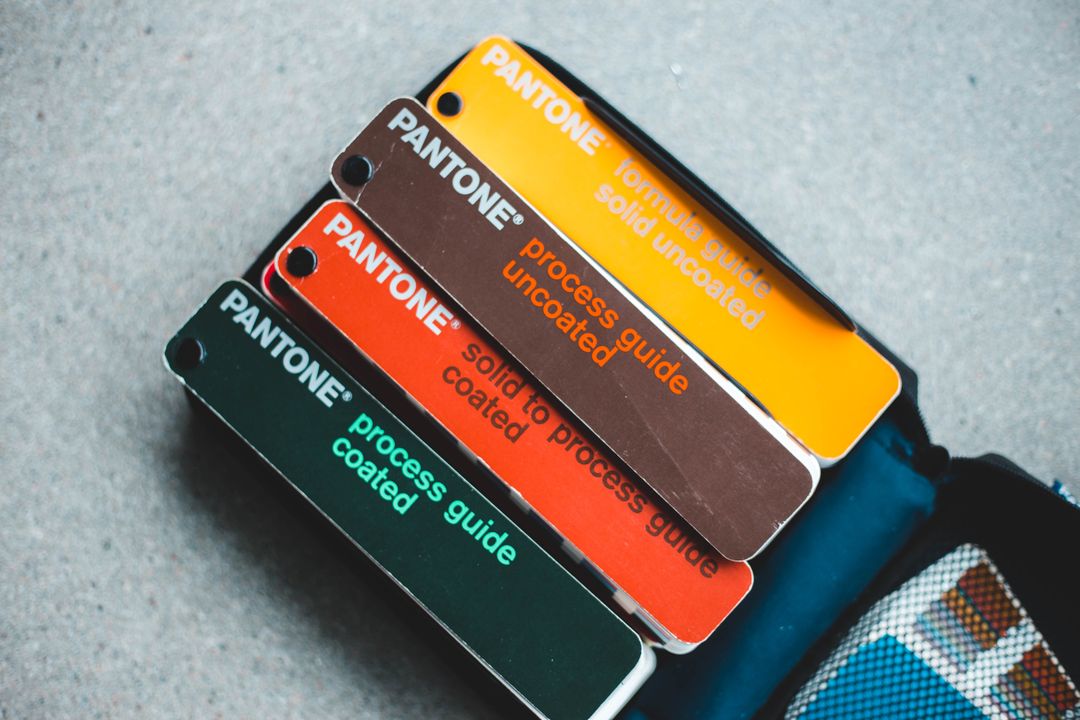
Spot Colour (Pantone)
Spot colours are premixed inks, like paint from a tin. Each colour is a separate ink. They’re used for brand-specific colours that need to match exactly every time, or for simple designs that only need one or two colours.
Cost: Economical for simple designs (one or two colours), but adding more spot colours increases cost because each requires a separate print run.
When to use it: Brand materials where colour matching is critical, simple bold designs, or when you want special colours like metallics or fluorescents that CMYK can’t reproduce.
Prompt example: “Design a business card using only two colours: Pantone 287 (blue) and black, clean and minimal, plenty of white space.”
Print Lord can advise on whether spot colour or full colour makes more sense for your specific project, based on your design and budget.
Black and White (or Single Colour)
One ink colour, usually black, sometimes another single colour for effect.
Cost: Most economical option for print. Perfect for text-heavy documents, simple graphics, or deliberately minimal designs.
When to use it: Internal documents, text-based materials, designs where simplicity is the point, or when budget is tight.
Prompt example: “Create a clean A4 flyer in black and white only, high contrast, bold typography, professional and minimal.”
Why Screen Colours Lie to You
Your laptop, phone, and tablet all use RGB: red, green, blue light. These colours are created by emitting light. They can be incredibly bright, almost glowing.
Print uses CMYK: cyan, magenta, yellow, black ink. These colours are created by reflecting light off paper. They can be rich, vibrant, and beautiful, but they cannot glow.
This means certain colours you see on screen simply cannot be reproduced exactly in print:
Bright neon colours: That electric lime green or hot pink on your screen will print as a more muted version.
Pure RGB blue: The bright blue you see on screen (like a clear sky) often prints darker and slightly purple.
Bright orange and red: Usually closer, but still not as punchy as on screen.
Metallics: Gold, silver, bronze on screen are just yellow, grey, and brown in standard print. True metallics require special inks or foiling.
Print Lord manages these expectations with every client. We know which colours shift most dramatically from screen to print, and we can guide you towards palettes that work beautifully in both environments.
Practical Prompt Examples for Different Projects
Let’s put this into practice with real-world scenarios:
Restaurant Menu
Prompt: “Design an A4 menu for a modern Italian restaurant, warm and inviting, cream background with deep burgundy and olive green accents, elegant but not fussy.”
Why this works: Warm, earthy colours suit hospitality. Cream background is easier on the eyes than stark white and uses less ink than solid colour. Burgundy and olive are rich, sophisticated, print-friendly colours.
Corporate Brochure
Prompt: “Create an A5 brochure cover for a financial services company, trustworthy and professional, navy blue and white with subtle grey accents, clean modern layout.”
Why this works: Navy and white is a classic corporate palette. It prints consistently, looks professional, and has strong contrast for readability. Grey accents add sophistication without complicating the colour scheme.
Event Poster
Prompt: “Design an A2 poster for a summer music festival, bold and energetic, bright yellow background with black and magenta accents, high contrast, readable from 15 feet.”
Why this works: Bright yellow grabs attention and prints well. Black provides maximum contrast for readability. Magenta adds energy. All three are strong, print-friendly colours that work at large scale.
Charity Fundraiser Flyer
Prompt: “Create a DL flyer for a children’s charity, warm and hopeful, soft blue background with orange highlights, friendly and approachable tone.”
Why this works: Soft blue is calming and trustworthy. Orange provides warmth and optimism. The combination is accessible and prints reliably. The contrast is strong enough for readability without being harsh.
When to Ask Print Lord for Colour Advice
There are times when colour choice becomes technical enough that you need expert input:
Brand colour matching: If you have specific brand colours that must match exactly across all materials, Print Lord can advise on whether spot colour or carefully managed CMYK is the right approach.
Metallic or special effects: If you want gold, silver, or fluorescent colours, these require special inks or finishing techniques. We can show you options and costs.
Large solid colour areas: Dark backgrounds or large blocks of colour need careful handling in print. We can advise on ink coverage, paper choice, and whether your design will work as intended.
Colour-critical photography: If you’re printing images where colour accuracy is essential (product photography, artwork reproduction), we can guide you on colour management and proofing.
Budget-conscious projects: If cost is a major factor, we can help you choose colour approaches that deliver impact without unnecessary expense.
This isn’t about Print Lord doing your thinking for you. It’s about having an expert ally who knows what works technically, aesthetically, and financially in print.
The Colour Prompting Checklist
Before you generate your next design, run through this:
Purpose: What’s this print for? Different contexts suit different colour approaches.
Mood: What feeling do you want? Colours carry emotion. Be specific about the mood you’re after.
Brand alignment: Do you have brand colours to work within? If so, name them in your prompt.
Contrast: Does this need to be readable from distance? High contrast matters.
Print type: Full colour, spot colour, or black and white? This affects both cost and design approach.
Technical reality: Are you asking for colours that can’t exist in print (neon, metallic) without special processes?
Answer those questions, build them into your prompt, and you’ll get colour results that work both on screen and in the real world.
Print Lord’s Two Decades of Colour Wisdom
Print Lord has printed millions of items in every colour combination imaginable. We’ve seen what works and what doesn’t. We’ve managed client expectations when their screen colours couldn’t translate to print. We’ve suggested alternatives that achieved the same impact at half the cost. We’ve matched brand colours precisely across different materials and print methods.
Colour in print is part science, part art, and entirely learnable. The more specific you are in your prompts, the better your results. The more you understand about how colour works in print, the smarter your design decisions become.
But when colour gets technical, or when the stakes are high, that’s when having Print Lord on your side makes the difference. We’re not just printers. We’re colour experts who guard your brand and guide your choices.
What Happens Next
You now know how to specify colour in your prompts effectively. You understand the difference between mood colours, named colours, and contrast-based approaches. You know which colour choices affect print cost and quality.
Tomorrow, we’re moving on to format and layout prompting. Because colour is only part of the picture. How you structure your design, what size it needs to be, and how elements relate to each other all need to be specified clearly if you want results that work in print.
But for now, try this. Next time you prompt a design tool, be specific about colour. Don’t say “colourful” or “nice colours.” Say “earthy tones with green highlights” or “navy blue and gold, high contrast” or “dark background with neon accents.”
Watch how much better your results become.
And when you’re ready to print, Print Lord will make sure those colours translate beautifully from screen to paper. Because we know what works, we check everything, and we deliver on brand, on time.
Every time.
Need advice on colour choices for your next print project? Print Lord has two decades of experience making colours work in print. Get in touch and let’s make sure yours are spot on.